
TEACHING WORKFLOW · CHORD CARDS
How to Share Chord Diagrams with Guitar or Ukulele Students
A chord name is not enough when a lesson depends on one exact fingering. Use a clear, repeatable workflow to capture the position you taught and give the student something useful after the call or class ends.
Core tools free and offline · no ads · opens the chord product page
- Exact voicing, not only a chord name
- Readable higher positions
- A file the student can keep
Decide what the student needs to reproduce
Start with the musical job of the chord: an open shape for a beginner, a compact higher voicing for a band arrangement, or a ukulele shape that matches the lesson tuning. Select that exact position before creating the card so the image records the fingering you demonstrated rather than a generic first result.
- Choose guitar or standard high-G GCEA ukulele
- Switch among several positions for the same chord
- Play the visible voicing before sending it
Check the diagram as a standalone instruction
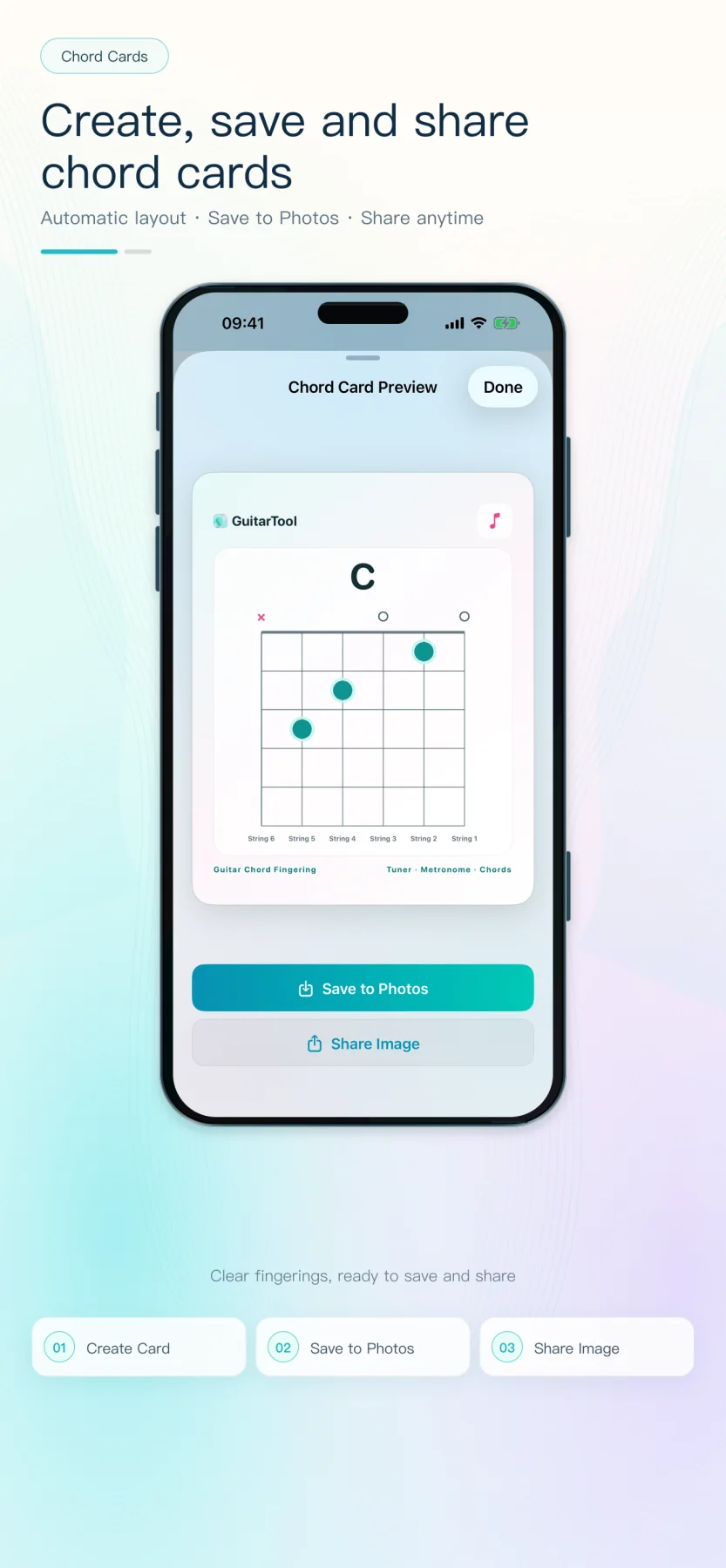
A student may open the image days later without the lesson conversation beside it. Confirm the chord name, muted and open strings, finger dots and starting-fret label are all readable. GuitarTool uses the same five-fret window in the library and the exported card, so a higher-position shape does not shift between teaching and sharing.
- Muted and open strings remain explicit
- High positions include a localized starting fret
- The preview shows the final exported image
Send one useful artifact after the lesson
Save the card to a lesson folder or share the image through Messages, Mail or another app chosen by the teacher. The recipient does not need a GuitarTool account and the card does not force an App Store link, which keeps the handoff focused on the fingering rather than promotion.
- Save to Photos for lesson folders
- Use the native iOS share sheet
- No account, cloud upload or forced download link
Build a small practice sequence, not an image pile
For a progression, send only the shapes needed for the next practice block and name the message by song section or exercise. Ask the student to compare transitions at a slow tempo, then raise the BPM once every change is clean. The cards document the harmony; the metronome defines the practice step.
- Group cards by exercise or song section
- Pair the shapes with a starting BPM
- Update only the voicing that changed
One app for the full practice flow
Tune first. Keep time. Find the next chord.
Download GuitarTool free↗FAQ
Common questions
01Does the student need GuitarTool to read the card?+
No. The shared result is a normal image that can be viewed and saved without installing the app.
02Can the card show a barre or another higher-position shape?+
Yes. The five-fret window follows the selected voicing and adds a starting-fret label when the shape begins above the first fret.
03Should I send every possible fingering?+
Usually no. Send the exact fingering taught for the current exercise, then add alternatives only when the musical context requires them.