Made for every focused practice

When you practise,
leave room for focus.

Tune, keep time and find chords in one place. GuitarTool brings professional practice essentials into a calm, intuitive interface.

Fully offlineNo adsNo account
20–500 BPM13 LANGUAGES
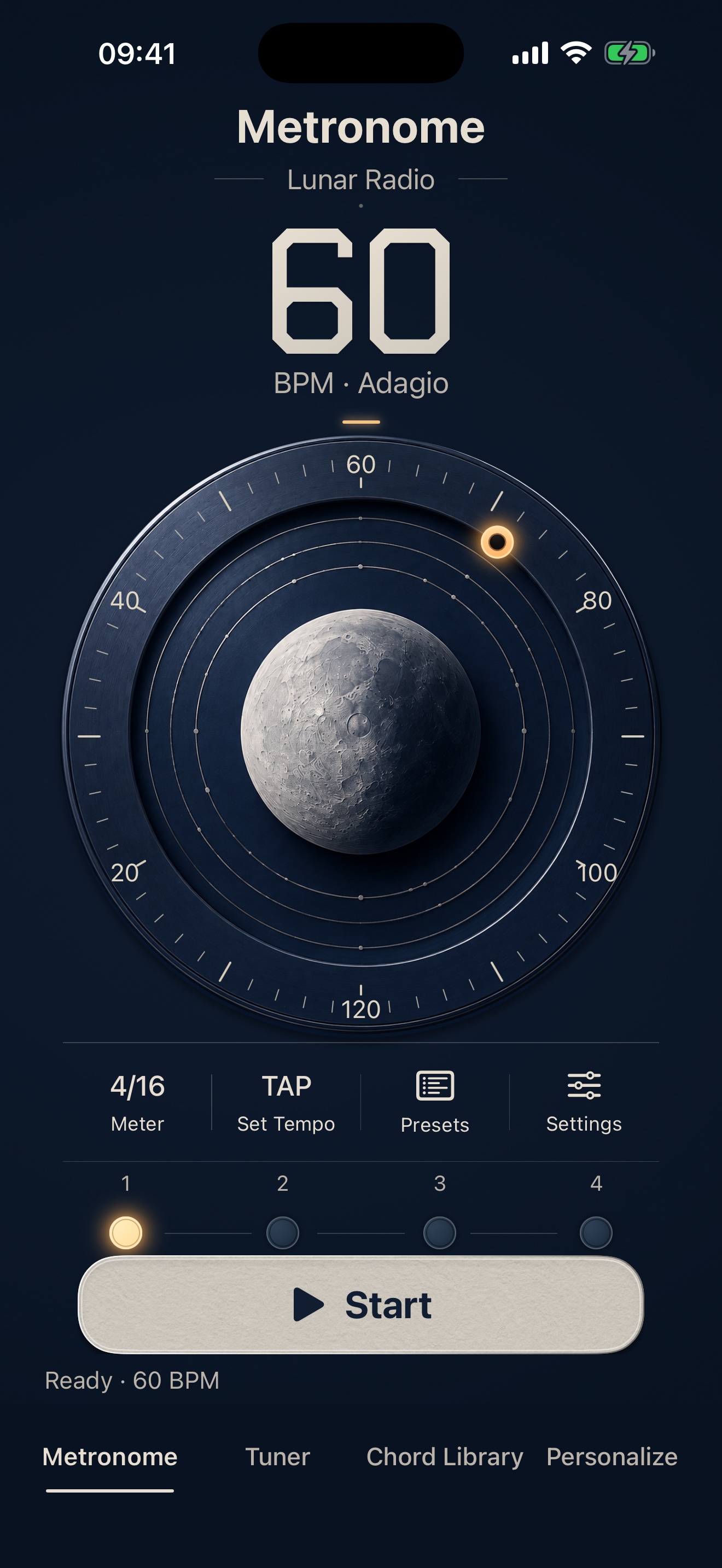
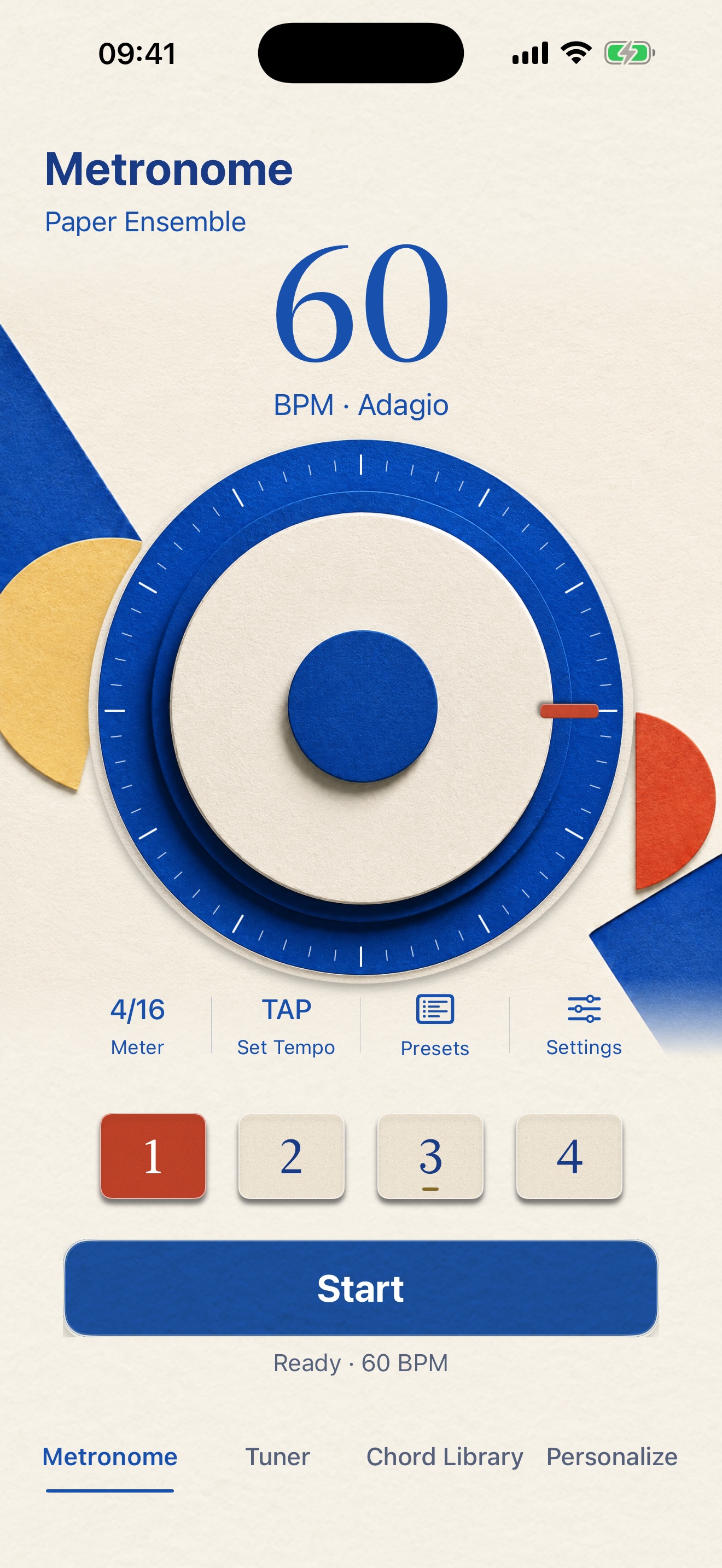
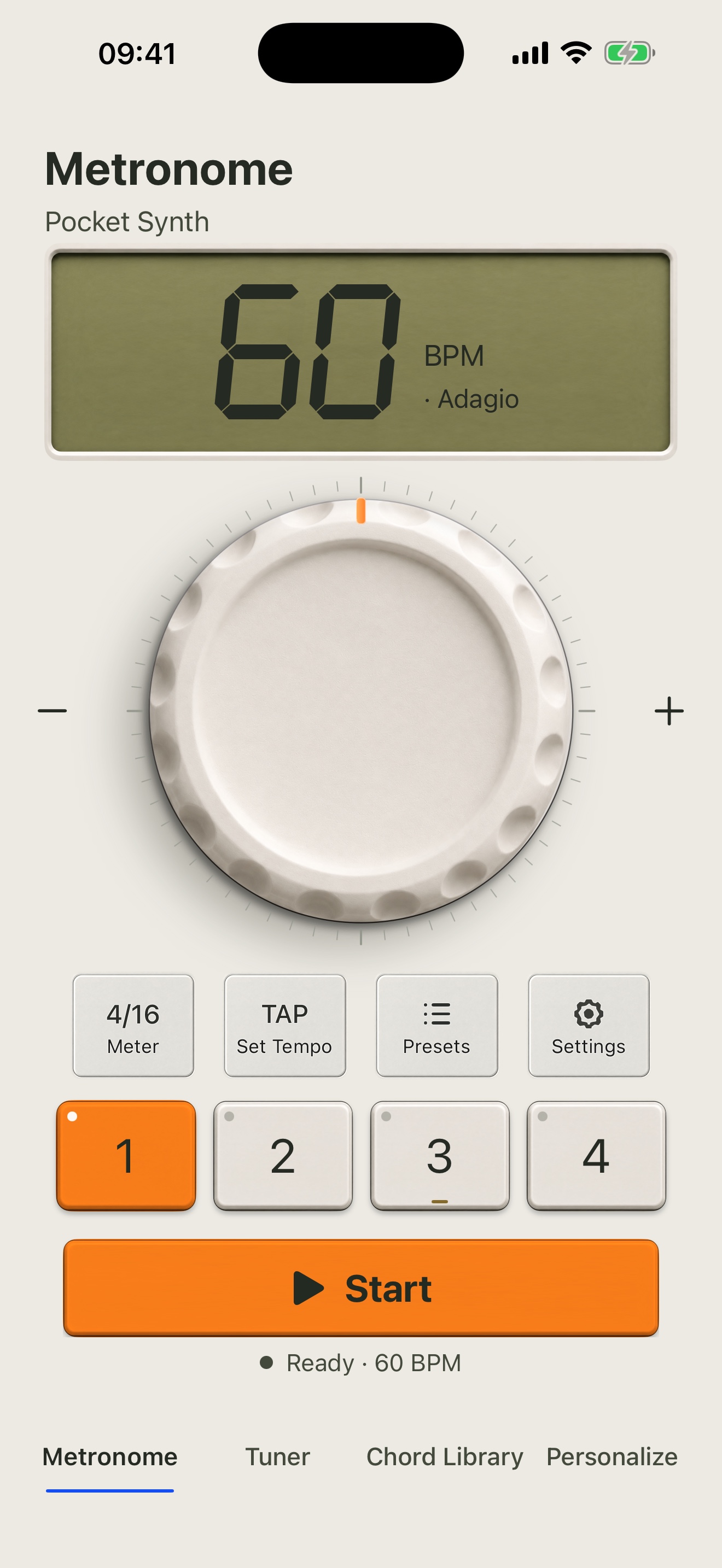
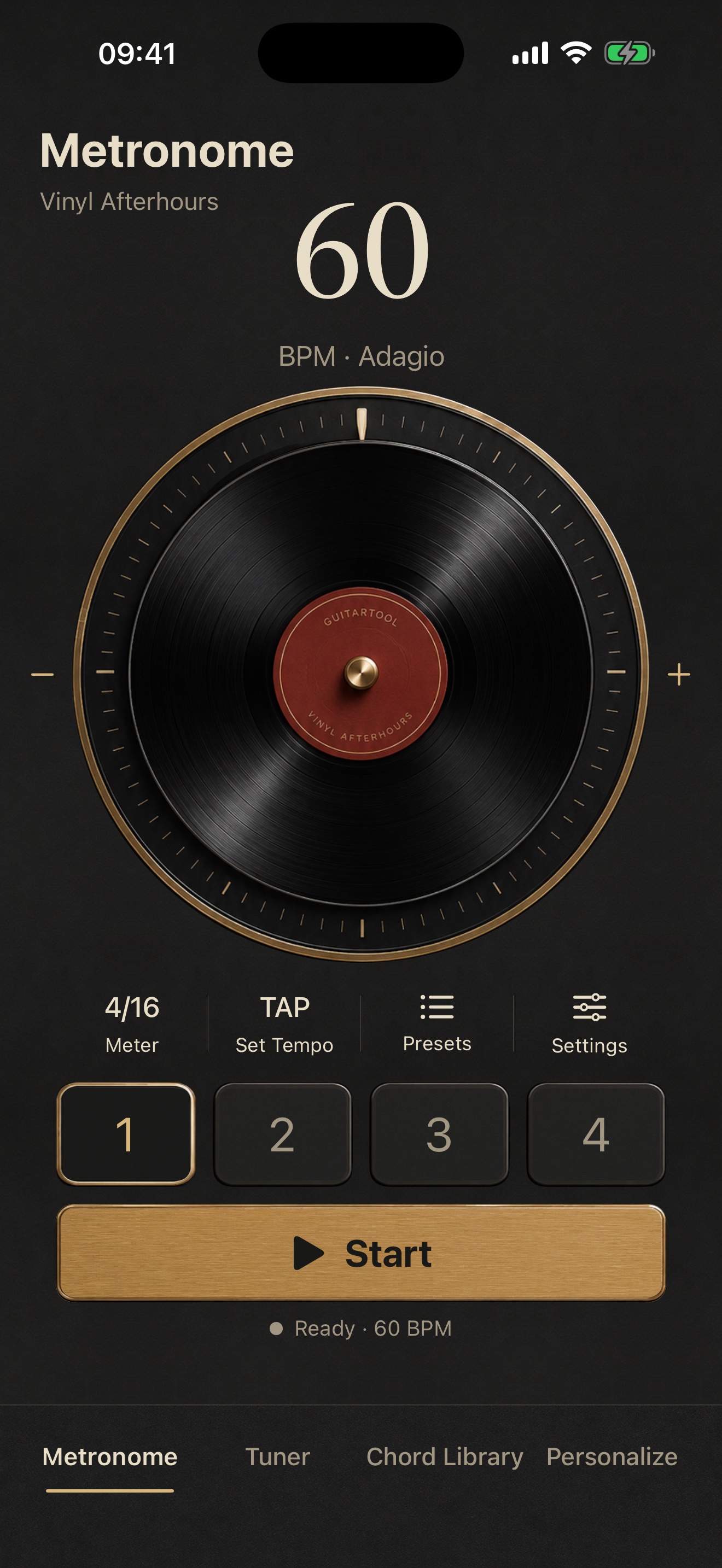
GuitarTool metronome in English
01Precise rhythm
Steady from the first beat
Your sound
Stays on your device
GUITARUKULELETUNERMETRONOMECHORDSOFFLINE
00 / WHY

A tool should help you find your flow,
not become another distraction.

That is why tuning, rhythm and chords live in one clear practice flow. No ads, no feeds, no login wall—open the app and start playing.

3essential tools
13interface languages
0ads or trackers

Three core tools, one complete flow

From the first string
to the final beat.

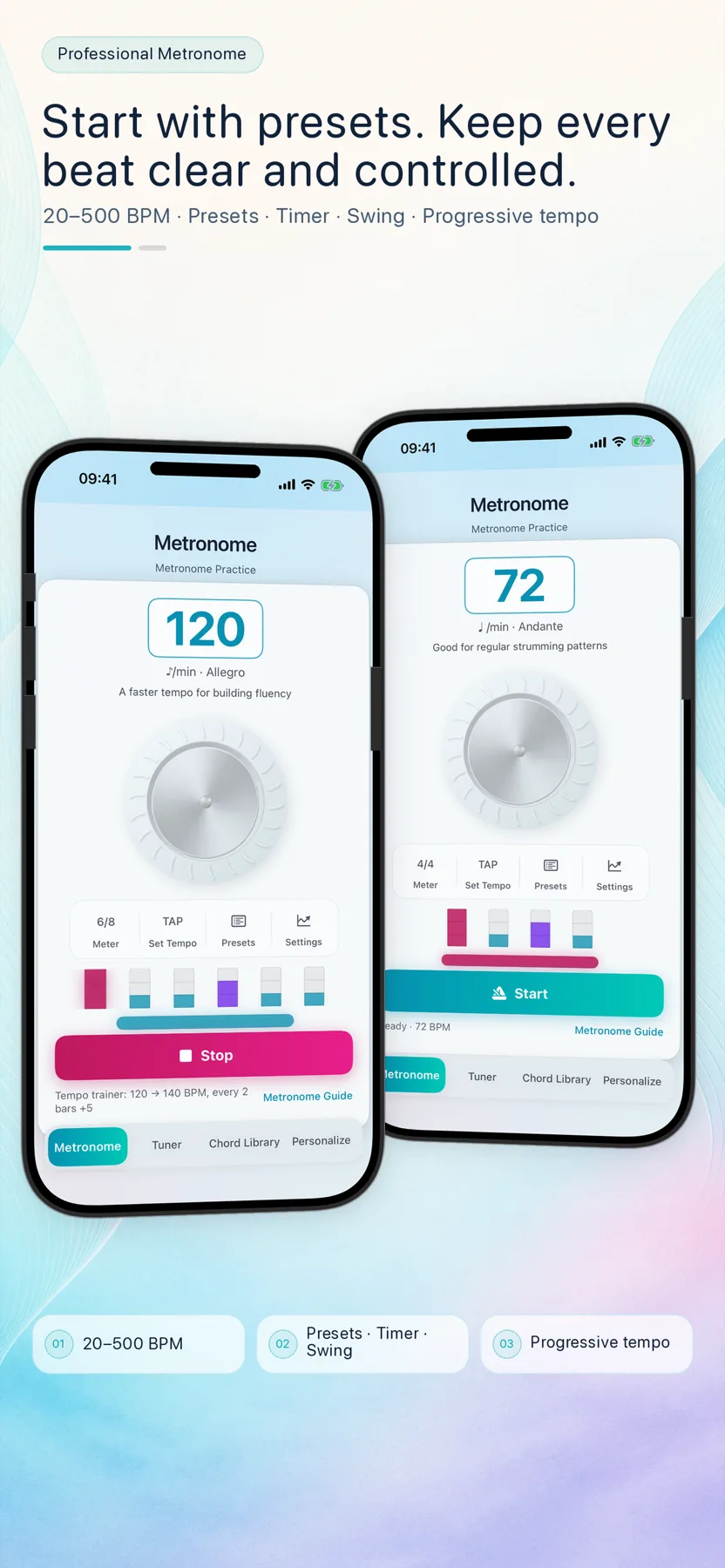
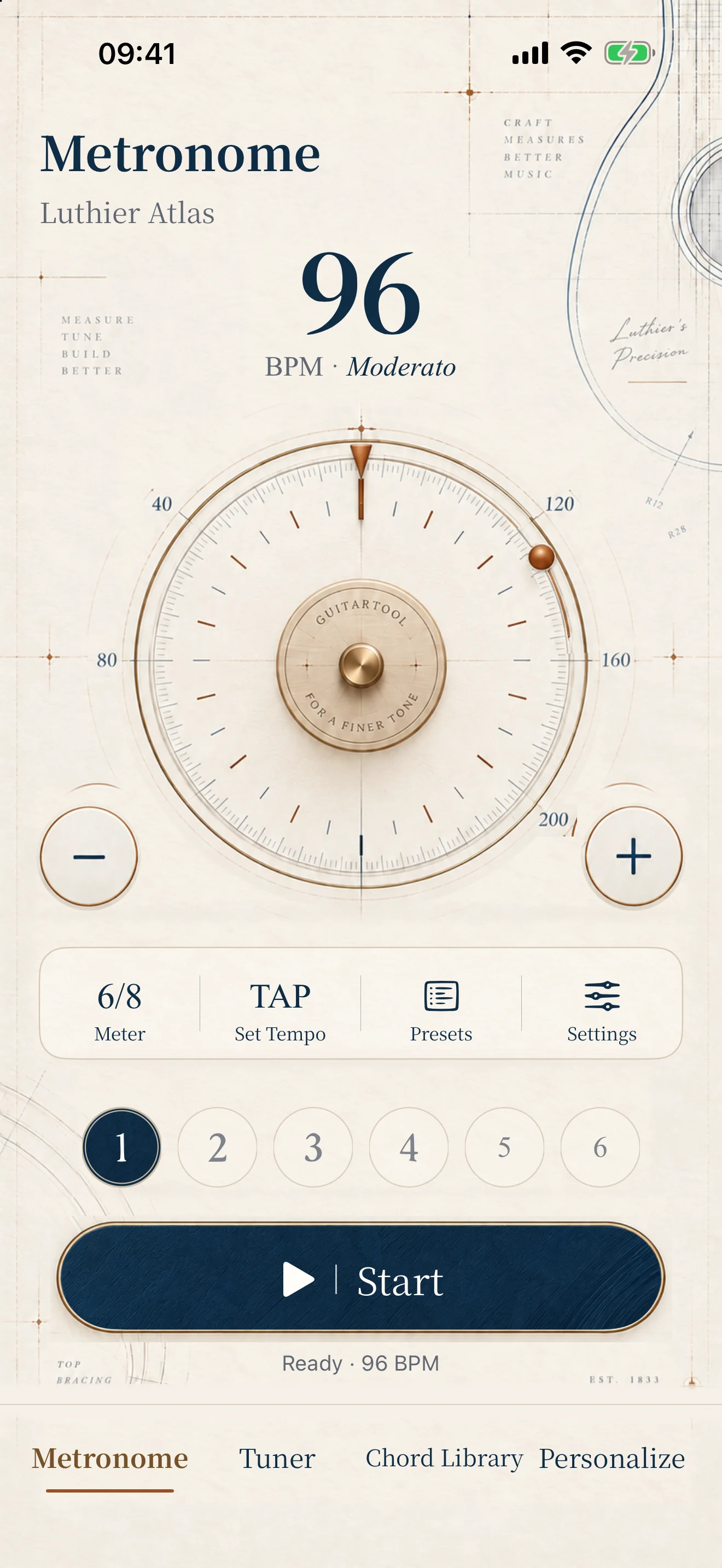
01Flexible Metronome

More than a click.A rhythm trainer that grows with you.

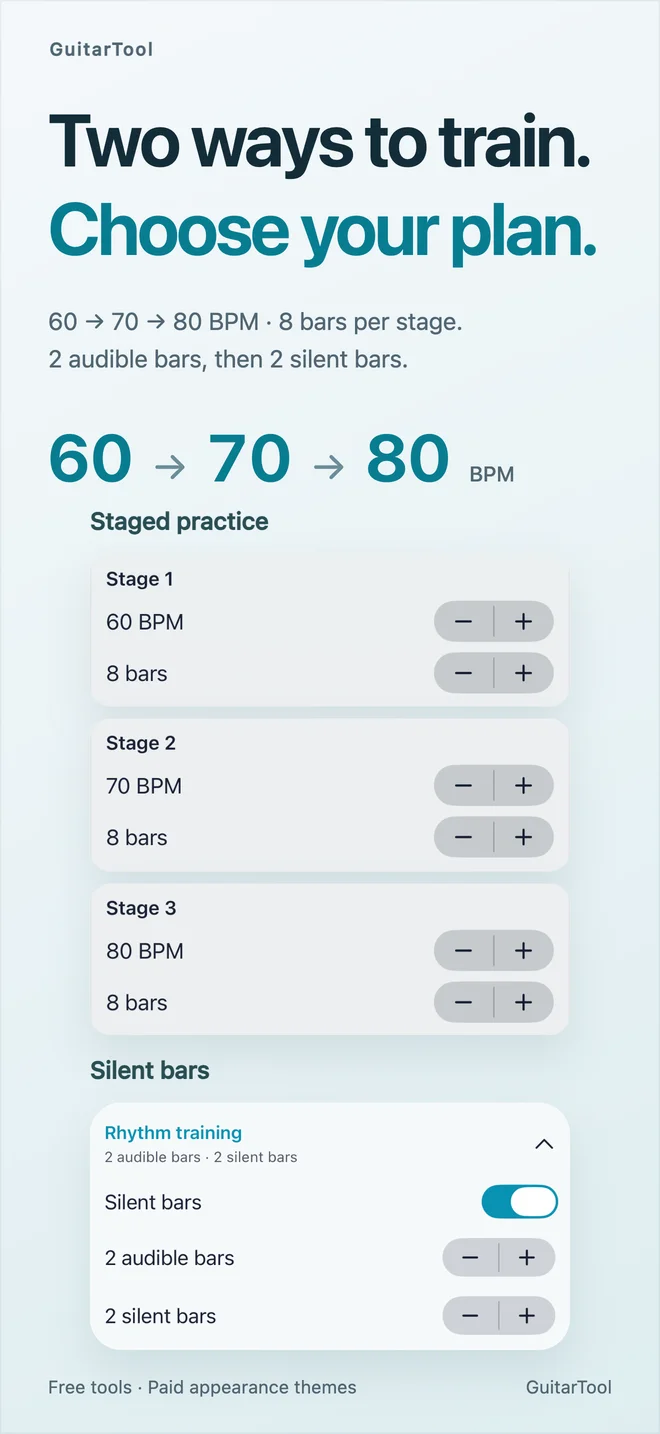
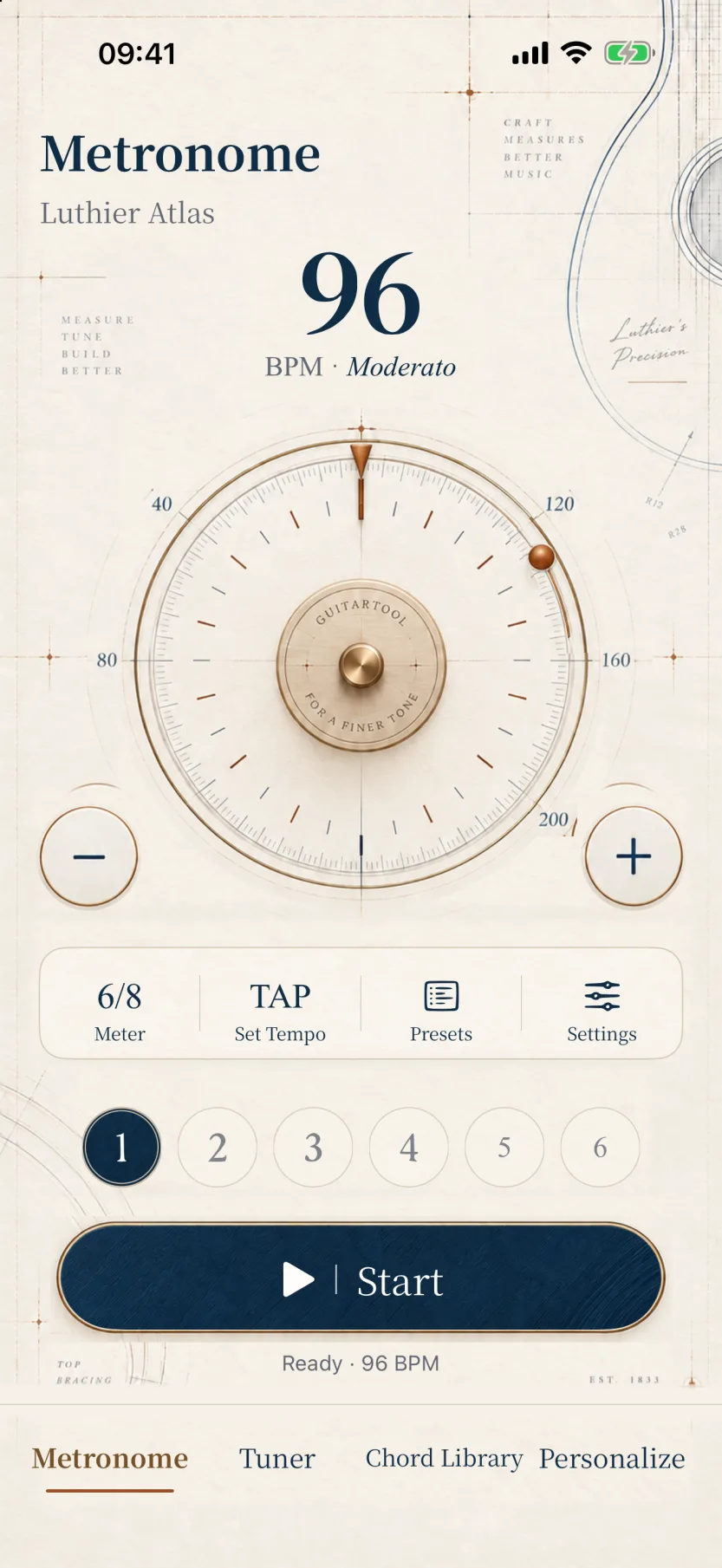
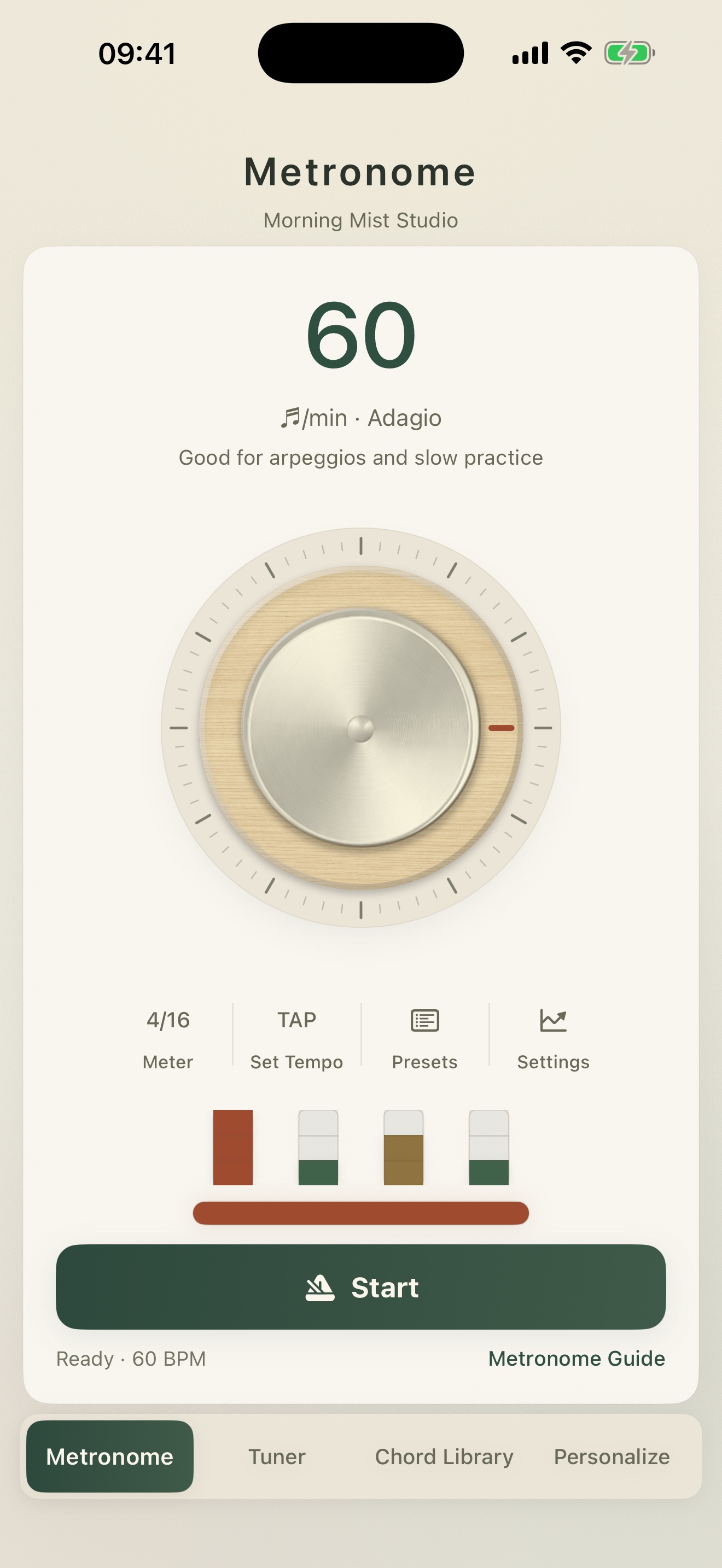
Set 20–500 BPM, time signatures, note values, accents and subdivisions. Combine timers, swing, progressive tempo and practice presets into a routine that is truly yours.

  • Tap tempo and practice presets
  • Four subdivisions and eighth-note swing
  • Timers and progressive tempo training
REAL APP INTERFACEGuitarTool metronome with presets, timer, swing and progressive tempo
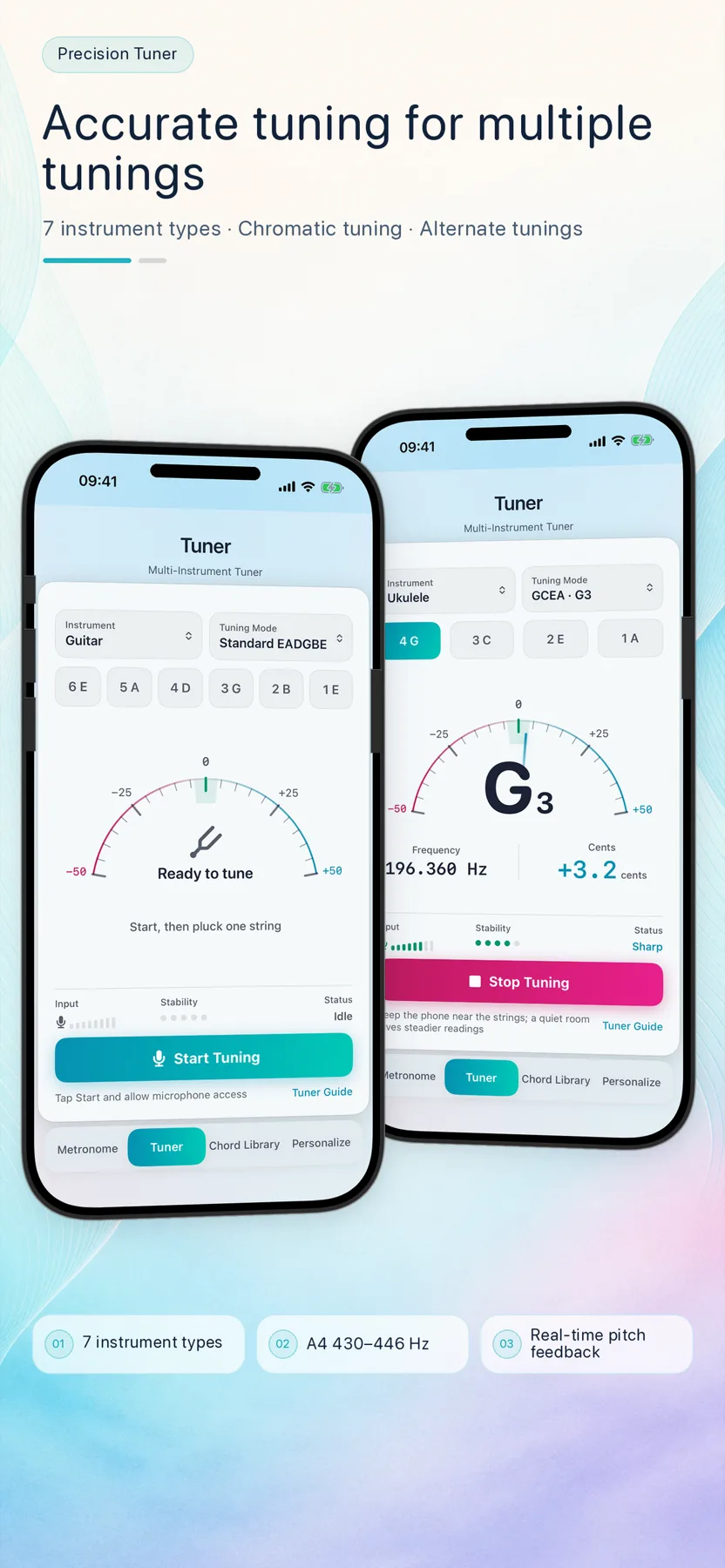
02Real-time Tuner

See every cent of pitch.Hear the progress it creates.

Seven instrument families and a wide range of alternate tunings, with cents, signal strength and stability feedback. Audio is processed live on your device—never saved or uploaded.

  • Standard, Drop D, DADGAD and open tunings
  • Calibrate A4 from 430–446 Hz
  • Reference tones and stability feedback
REAL APP INTERFACEGuitarTool precision tuner interface
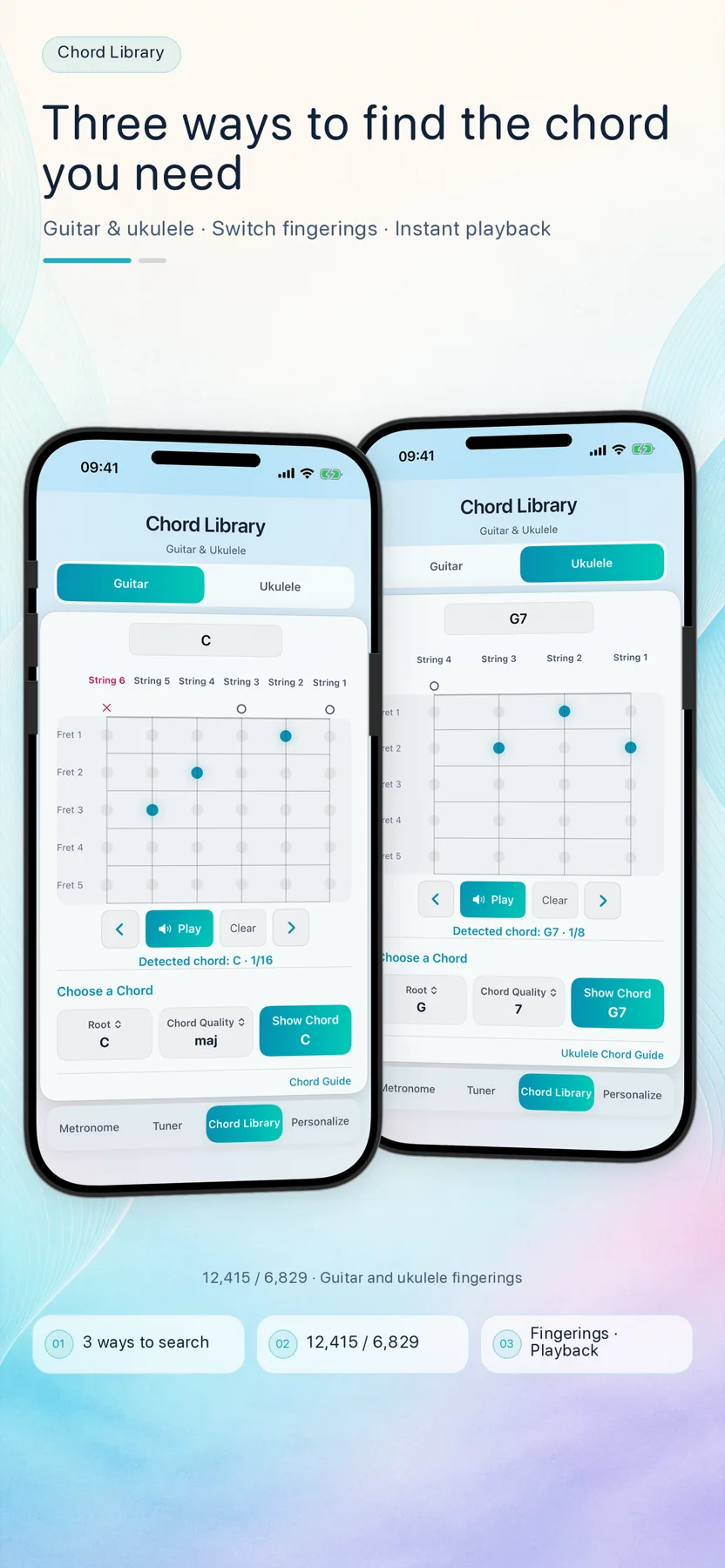
03Chord Library

One chord can havemore than one answer.

Explore 855 chord names for both guitar and ukulele, with 19,244 fingerings in total. Move, edit, identify and hear a voicing, then save or share the exact shape as a clear chord card.

  • Five-fret viewport across all 20 frets
  • Interactive editing, recognition and playback
  • Preview, save and system-share chord cards
REAL APP INTERFACEGuitarTool guitar and ukulele chord library
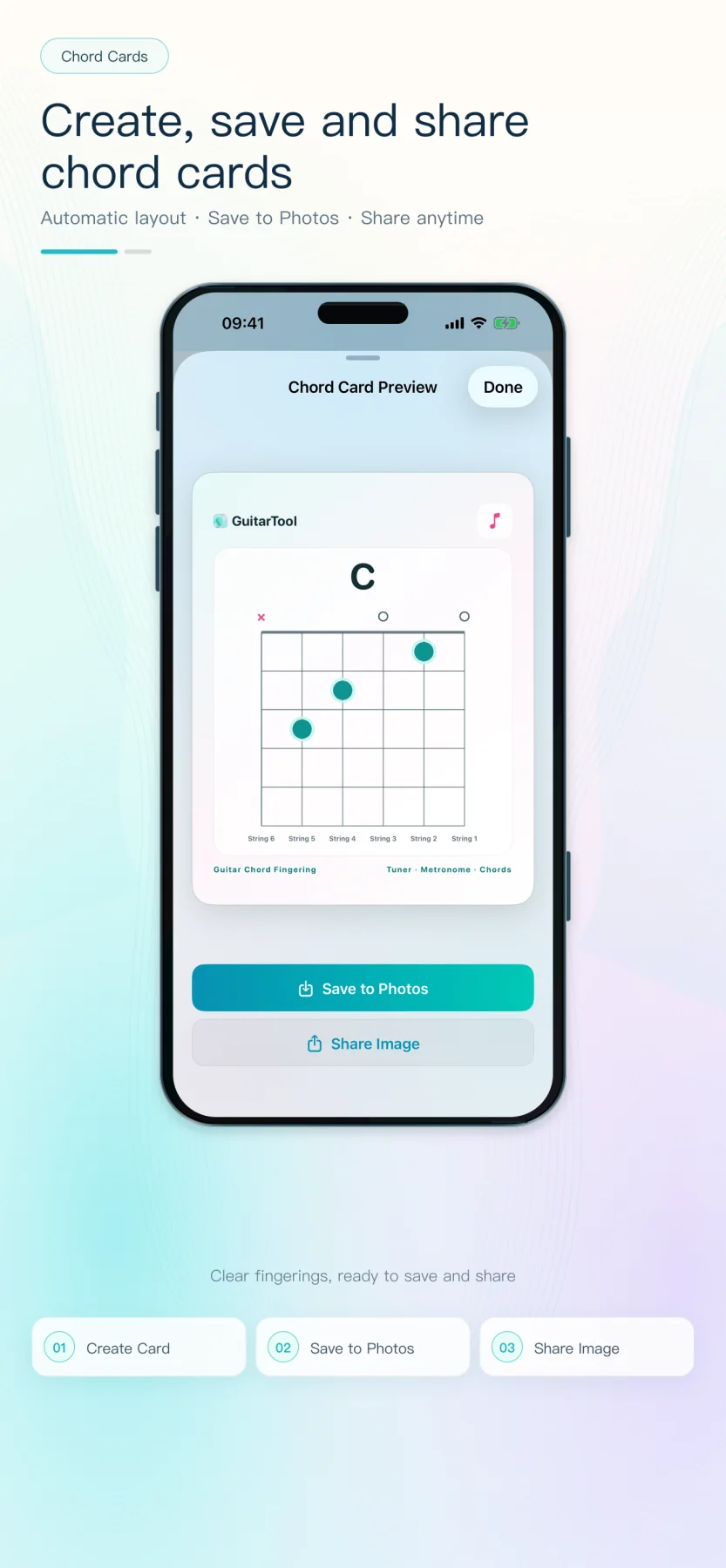
04Chord Cards

See the final card first.Then save it or send it.

The real preview keeps the visible chord, muted strings, fretted notes and higher-position starting fret. Once it looks right, save to Photos or share the image.

  • Layouts for guitar and ukulele
  • Open and higher-position voicings
  • A clean image with no forced download link
REAL APP INTERFACEGuitarTool chord card preview with save and share actions
20–500precise BPM range
430–446Hz calibration
19,244guitar & ukulele fingerings
1–12beats per bar

Full product tour in 36 seconds

See how the tools fit into practice before choosing where to begin.

The landscape edit is designed for desktop and larger screens; mobile automatically receives the English portrait edit. It covers tuning, rhythm, chord cards, widgets and the multi-device experience.

Across your devices · themes & widgets

Practice should fit you,
not the other way around.

Themes & appearance

Four free looks.
Choose your practice atmosphere.

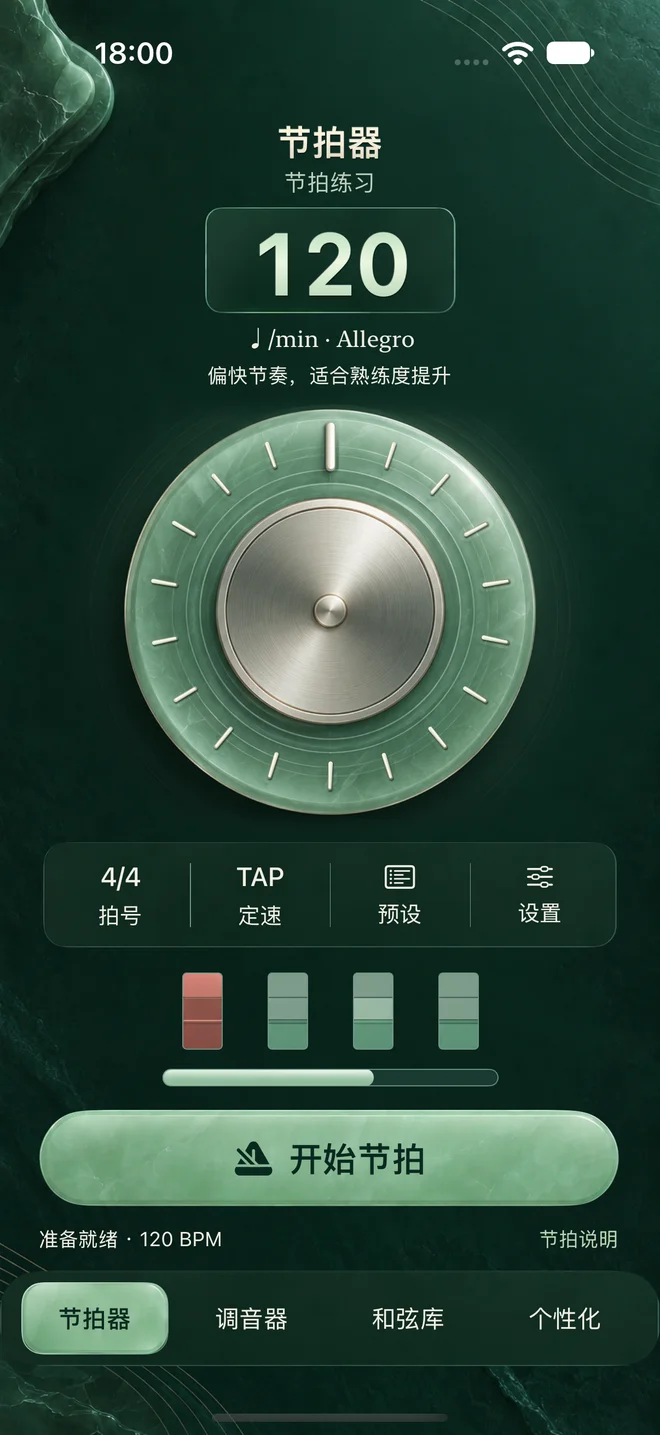
Sky, Night, Forest and Graphite are included with the app. Your choice stays on the device and needs no account or cloud profile.

4 INCLUDED
Four GuitarTool themes in English

Home Screen widgets

Keep the beat
without opening the app.

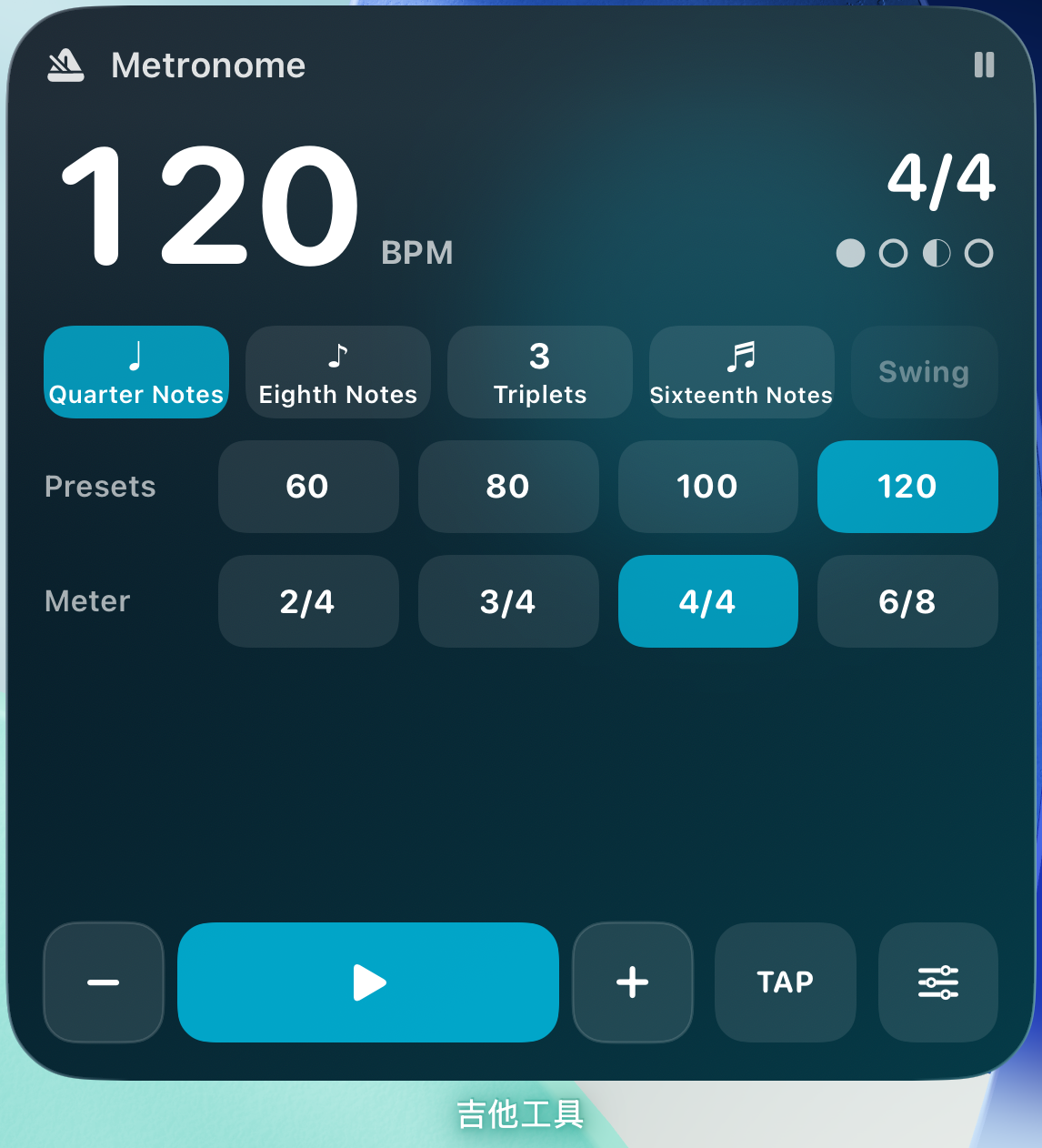
Small, medium and large. Change tempo and time signature, play, pause or tap in a tempo—right from your Home Screen.

Three GuitarTool metronome widget sizes in English
ONE TOOLKIT · ONE FOCUSED PRACTICE

Tune, keep time and find chords without switching apps. GuitarTool brings live tuning, flexible rhythm training, chord cards, Apple Watch and Home Screen widgets into one fully offline practice flow.

04 / EVERYWHERE

Your practice
travels with you.

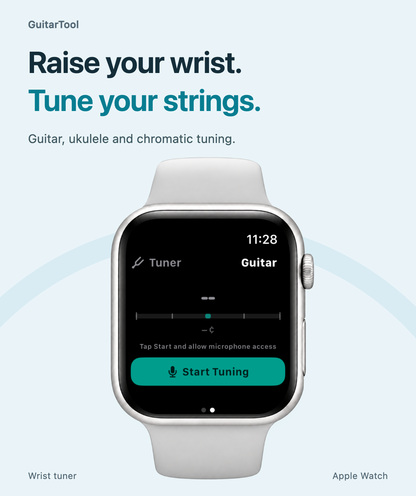
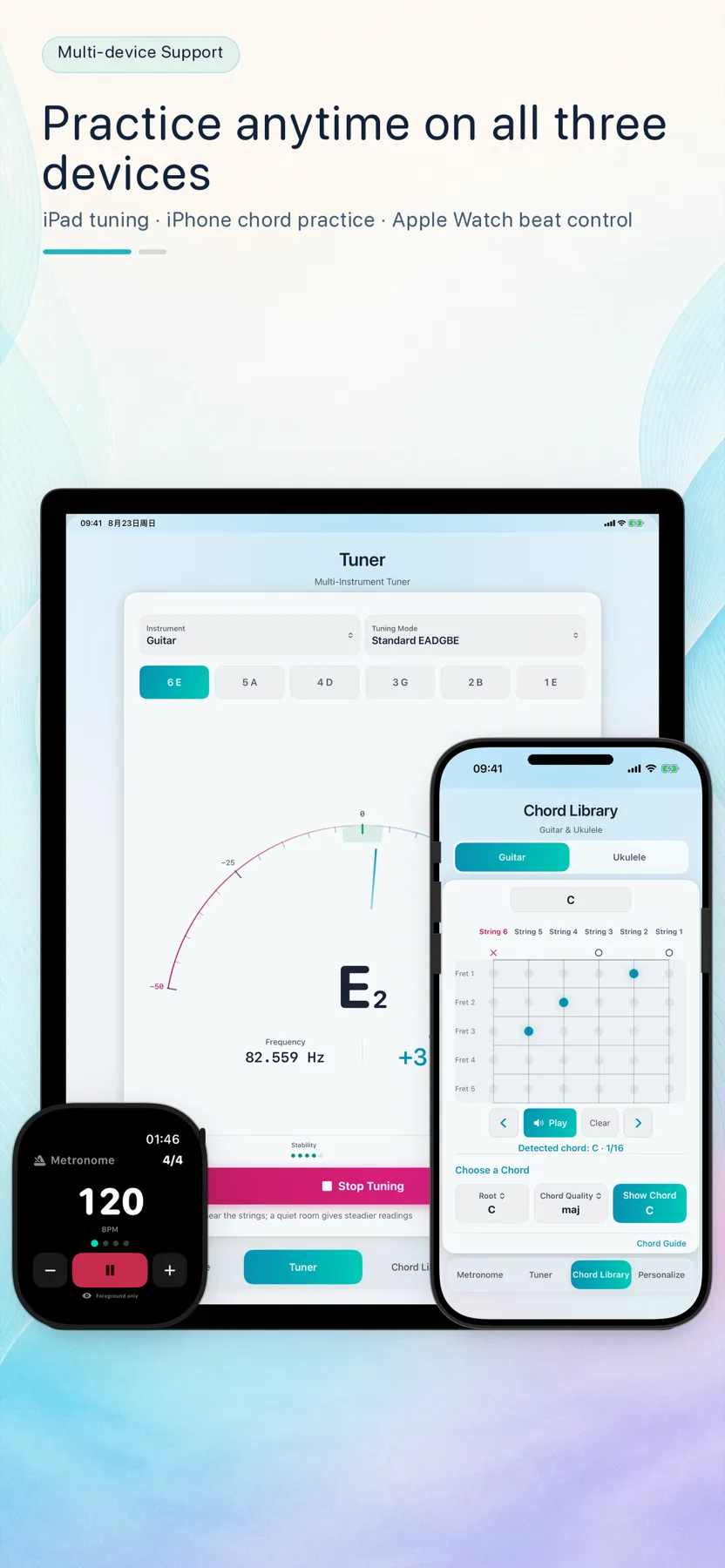
Reach for iPhone, see more on iPad, or start the beat from Apple Watch. Audio can keep going when the wrist lowers or the display dims, so your hands return to the instrument.

iPhoneiPadApple Watch
GuitarTool on iPhone, iPad and Apple Watch in English

Privacy by design

Your practice audio
stays on your device.

GuitarTool does not collect, sell or share personal information. Tuner audio is processed live on your device and released when tuning stops.

  • 01No accountNo registration, sign-in or cloud profile.
  • 02No audio uploadsNo recordings saved or sent to us or a third party.
  • 03No ads or trackingNo advertising, analytics or third-party tracking SDKs.
Read the full privacy policy
05 / LANGUAGES

Use familiar words.
Focus on the music.

Follow your system language or choose anytime in the app.

Free practice resources

Solve the next beat, string or chord first.

01

Online tuner

Use your microphone for private, real-time note, frequency and cents feedback.

Open the tool →
02

Online metronome

Start with 20–500 BPM, tap tempo and one to twelve beats per bar.

Open the tool →
03

Offline guitar tuner

Explore standard, Drop D, DADGAD and open tunings with private on-device audio.

Read the guide →
04

Popular guitar chords

Begin with 50 essential chords, each with several clear positions.

Browse chords →
05

Popular ukulele chords

Learn 50 common shapes in standard high-G GCEA tuning.

Browse chords →
06

Save and share chord diagrams

Turn the current guitar or ukulele voicing into a card you can preview, save or send.

Explore chord cards →
07

Apple Watch metronome

Control tempo and meter from your wrist while audio continues when the display dims.

Explore the watch metronome →
08

Chord cards for students

A teacher-ready workflow for choosing, checking and sending one exact voicing.

Read the teaching guide →
09

Watch audio case study

How sample-clock timing, display lifecycle and route recovery work together.

Read the engineering story →
10

Tap tempo BPM finder

Tap the main pulse, reject uneven input and check half-time or double-time results.

Read the guide →
11

Swing metronome practice

Move from straight eighths to swing and shuffle while gradually removing click support.

Read the guide →
12

Progressive tempo training

Increase speed with small BPM steps, clean repetitions and a clear fallback rule.

Read the guide →
13

How to tune a guitar

Tune all six EADGBE strings and make sense of cents, attack and stable sustain.

Read the guide →
14

Chord fingering finder

Compare open and higher voicings, then edit, identify and hear the exact shape.

Find a fingering →

Common questions

Before you download,
you may want to know.

01Do I need an internet connection or account?

No. GuitarTool’s core features work entirely offline, with no registration, sign-in or cloud profile.

02Does the tuner save my audio?

Never. Microphone audio is used only for live, on-device pitch detection. It is not saved as a file or uploaded to a server.

03Which devices are supported?

GuitarTool adapts to iPhone and iPad, and includes an Apple Watch metronome plus three sizes of interactive Home Screen widgets. Watch audio can continue when the wrist lowers or the display dims.

04Does it support ukulele?

Yes. The tuner includes GCEA modes, and the chord library includes a complete set of ukulele chord names and multiple fingerings.

05Can I send a chord shape to a teacher or friend?

Yes. Preview the current chord card, then save it to Photos or send it with the system share sheet. The image does not force an App Store link.

GuitarTool app icon

GuitarTool for iPhone · iPad · Apple Watch

Make your next practice
a more focused one.

Download free on the App Store Fully offline · No ads · No account