
GUITARTOOL 1.1.3 · SILENT BARS
Practise with a silent-bar metronome on iPhone and iPad
Keep playing when the clicks disappear, then listen for whether you land with the returning beat. GuitarTool alternates audible and silent bars while its internal beat continues.
Core tools free and offline · no ads · opens the metronome product page
- 1–64 audible and silent bars
- Free on iPhone and iPad
- Saved locally with custom presets
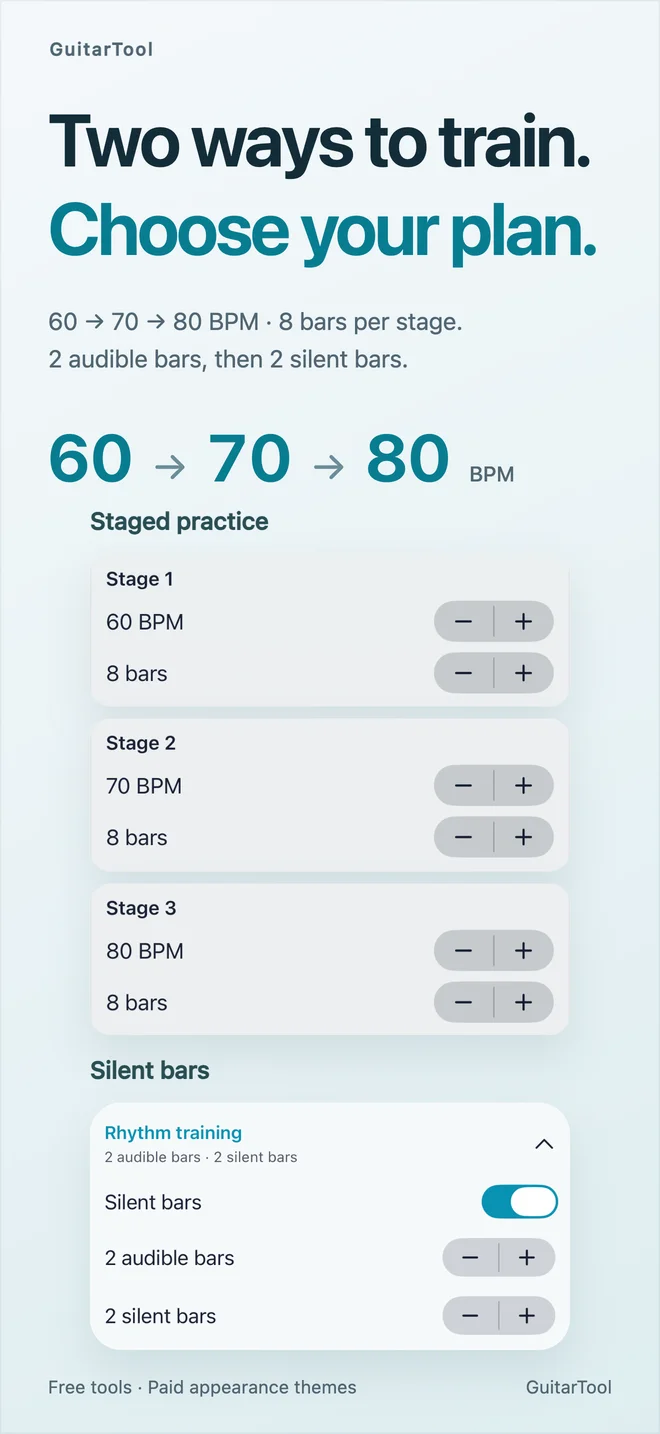
Start with two audible bars and two silent bars
Open Metronome → Presets → Rhythm Training on iPhone or iPad. Enable Silent Bars, choose two audible bars and two silent bars, then use a comfortable tempo such as 60 BPM in 4/4. Each audible and silent interval accepts 1–64 bars. This is a native app feature; the website metronome does not include these training controls.
- Choose a comfortable tempo first
- Set audible and silent bar counts independently
- Voice and clicks are silent; keep the pulse yourself
Listen to the return, then adjust the exercise
Play a simple strum or one note per beat. Keep counting through the gap. When the clicks return, compare your next note with the beat. If you repeatedly arrive early or late, shorten the silent interval or lower the tempo before making the exercise longer.
- Use a familiar movement
- Check timing when sound returns
- Increase difficulty one setting at a time
Save the setup and understand deliberate silence
Save the configuration as a custom preset for next time. During playback, editing training settings restarts the exercise from bar one. If your metronome becomes silent at regular bar boundaries, check Silent Bars before changing permissions or audio routes. Turn it off for a continuous click.
- Custom presets keep the training configuration
- Parameter changes restart from bar one
- No microphone or account required for training
One app for the full practice flow
Tune first. Keep time. Find the next chord.
Download GuitarTool free↗FAQ
Common questions
01Does the metronome stop during a silent bar?+
No. Its internal beat continues; the exercise suppresses the click so you can maintain timing yourself.
02Do silent bars require a subscription or paid theme?+
No. Rhythm training is free and works offline on iPhone and iPad. Visual themes are separate optional purchases.
03Does the browser metronome have silent bars?+
No. The instructions here describe the native GuitarTool 1.1.3 app, not the free browser metronome.
04How long can each interval be?+
Set 1–64 audible bars and 1–64 silent bars independently in Rhythm Training.