
GUITARTOOL 1.1.3 · TEMPO STAGES
Set up staged tempo training by bar count
Build a repeatable practice routine with a tempo and bar count for each stage. GuitarTool changes tempo at stage boundaries so you can keep your hands on the instrument.
Core tools free and offline · no ads · opens the metronome product page
- Up to six stages
- 20–500 BPM · 1–64 bars per stage
- Loop or hold the final tempo
Choose stages that your hands can already play cleanly
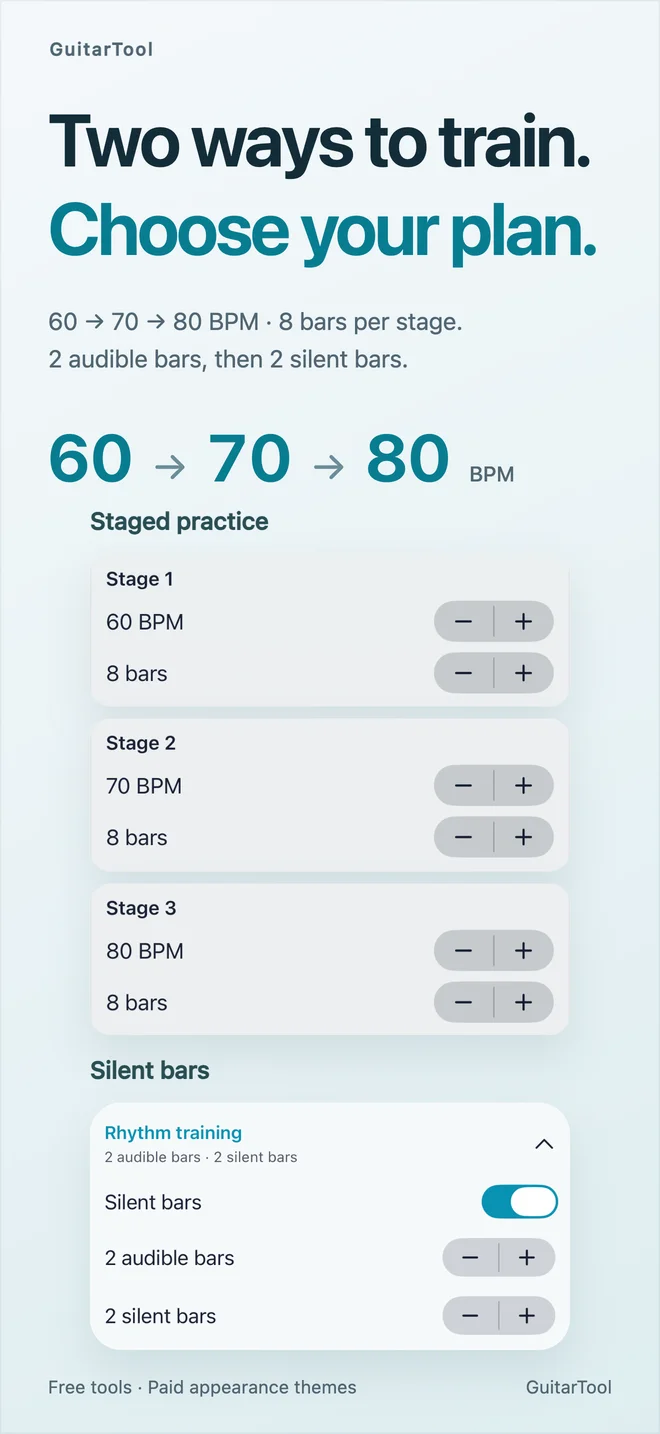
Open Metronome → Presets → Rhythm Training and enable Staged practice. Try four bars at 60 BPM, four at 65 BPM and four at 70 BPM. These are example practice values, not fixed presets. Add or remove stages to fit the phrase; the app supports one to six stages, each at 20–500 BPM for 1–64 bars.
- Set BPM and bars for each stage
- Use small increases for a new movement
- Save a custom preset to reuse the routine
Decide what happens at the end
Loop Stages repeats the sequence. With looping disabled, the metronome keeps the final stage’s tempo rather than stopping. This makes it possible to warm up slowly, work through a short progression and stay at a comfortable target speed.
- Loop for repeated passes
- Disable looping to hold the last tempo
- Stop playback when you finish
Know which actions change the plan
Manually changing BPM, confirming the BPM input with Done or using TAP exits staged training. Cancel or dismissing the BPM draft keeps the previous tempo and training settings. Editing training parameters while playing restarts from bar one. Stop first if you want to revise the exercise without a mid-phrase restart. These controls belong to the native iPhone/iPad app; Watch, widgets and the browser tool do not provide this training editor.
- Done applies manual tempo; Cancel preserves training
- Training edits restart from bar one
- A theme purchase is never required
One app for the full practice flow
Tune first. Keep time. Find the next chord.
Download GuitarTool free↗FAQ
Common questions
01How many tempo stages can I create?+
One to six. Each stage accepts 20–500 BPM and 1–64 bars.
02Will playback stop after the last stage?+
No. With looping off, playback continues at the final tempo. With looping on, the sequence repeats.
03Why did staged training turn off after TAP?+
Manual tempo changes and TAP intentionally exit staged training so your new tempo takes control.
04Can I save stages for my next practice?+
Yes. Save the configuration as a custom preset. It stays on your device and works offline.