Free to install. iPhone and Mac. Cloud and AI unlock is a one-time purchase, not a subscription.
Real Mac interface with demonstration conversations; AI replies are examples.
Stays free
On-device dictation, history, local recordings
Trial
iOS 1.1.0+: optional 7 days, no auto-charge; Mac: 20 uses
Unlock
One-time App Store purchase, about US$9.99
Where
Mac 1.2.0 requires macOS 14+. iPhone 1.0.1 requires iOS 17+. Both offer 13 interface languages.
A complete workspace on Mac
Mac 1.2.0 is available on the App Store. Keep history, editable transcripts and AI help together in a native Mac workspace. Requires macOS 14 or later; supports Apple Silicon and Intel.
Capture microphone, system audio or both. Pause and resume in the same note; optionally save M4A or WAV audio.
Find words within a transcript, review recordings at 0.75–2× and export text, notes or a session with saved audio.
See save status and retry failed saves. Choose a library folder; migration copies and verifies data while keeping the original.
Mac 1.2.0: meeting notes, key takeaways and action itemsMac 1.2.0: searchable session history and local recordings
New in Mac 1.2.0
More control while recording, clearer save feedback and practical ways to keep your library. These improvements are for the Mac app.
On Mac 1.2.0, select Pause or press Command-Shift-P. The current segment finishes and recording time stops. Resume adds a new audio segment to the same note. Wait for final processing before continuing, or cancel the wait to keep text already received and audio already written; the final sentence may be incomplete. Save recordings must be enabled to retain audio.
What should I do if saving fails?
Keep the Mac window open and preserve the unsaved text. Check free disk space, folder permissions and any external drive connection, then select Retry save or press Command-S. A failed save before switching notes keeps you on the current note. Do not clear history to troubleshoot. Unreturned recognition results and audio that was never saved cannot be recovered by retrying.
How do I move or back up my Mac library?
Stop listening and finish exports before choosing a storage folder in Settings. The app copies and verifies the library into Dictation Notes Data under the selected location, then switches to it; the original library stays in place. Reconnect an unavailable external drive. Use Show data in Finder to locate the active library. For a backup, stop and save, quit normally, then copy the entire library. A session-with-audio export covers that session only. Keep exported files and original libraries separately; the app does not sync them to iPhone.
Platforms
Mac 1.2.0 requires macOS 14+. iPhone 1.0.1 requires iOS 17+. Both offer 13 interface languages.
Platforms
Feature
Mac
iPhone
App version
1.2.0
1.0.1
Minimum system
macOS 14+ · Apple Silicon / Intel
iOS 17+
Audio input
Microphone, system audio or mixed
Microphone
No. Session history, recordings and API settings remain on each device. Restoring the same App Store unlock on Mac and iPhone does not synchronize those files. Export or share the files you need yourself.
Free dictation, clear data paths
Free dictation needs no API key. Apple speech recognition may process audio on the device or send it to Apple when local recognition is unavailable. Cloud transcription and AI send data directly to the provider you select and authorize. We do not run a backend receiving your recordings or transcripts.
On iPhone, leaving the app or locking the phone stops dictation. On Mac, use the window, menu bar or Option-Shift-D to start and stop; Command-Shift-P pauses or resumes. Quitting stops capture. Obtain any required participant consent.
How a session goes
Listen, ask, then keep the record on the device. Cloud and AI uses share one trial counter.
Listen
Allow the microphone. On-device dictation needs no key. Add a speech provider you trust only if you want cloud transcription.
Ask
Use the four Mac shortcuts for a reply, a concept explanation, key takeaways or action items. AI requests go to the provider you configure and authorize.
Keep
History and recordings stay on the device unless you export or share them. We have nowhere to receive them.
Price, plainly
The app is free to install. The unlock is a non-consumable one-time purchase. Family Sharing is on. Restore with the same Apple ID on iPhone and Mac.
Stays free
iOS 1.1.0+: Try all available Pro features. After the trial, search, precise playback, new AI actions, sharing and backups require purchase. Basic recording, viewing and editing saved content, normal playback and backup restoration remain free. iOS 1.1.0 is being prepared for release; availability is determined by the App Store. Released iOS 1.0.1 retains its original 20-use policy.
One-time unlock
iOS 1.1.0+: Basic features are free. Claim one optional 7-day Pro trial with no automatic charge when it ends. This is a one-time purchase, not an auto-renewing subscription. Mac retains 20 shared trial uses for cloud transcription, AI and translation, followed by a one-time unlock. The iOS timed trial does not apply to Mac. iOS 1.1.0 is being prepared for release; availability is determined by the App Store. Released iOS 1.0.1 retains its original 20-use policy.
No hosted quota from us
The app ships with no developer API keys and does not proxy requests. Whoever you pick sends the bill. You can also point it at your own compatible chat completions endpoint.
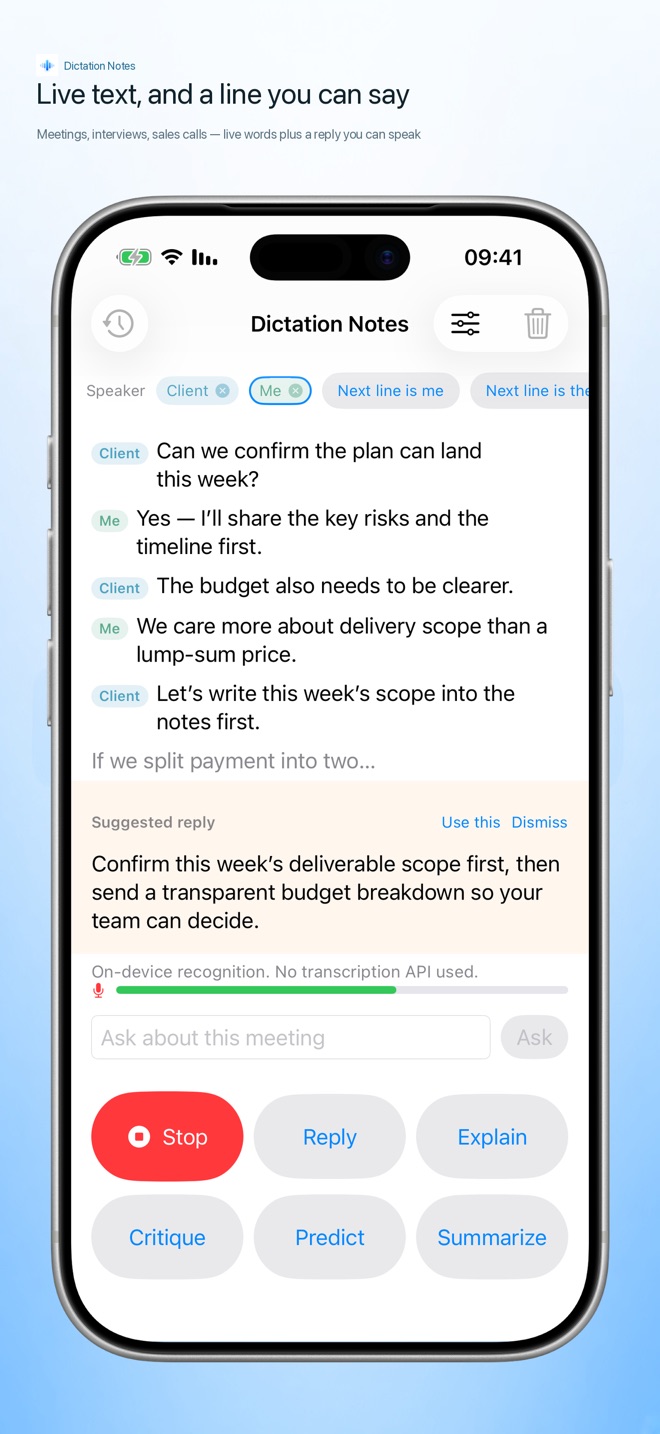
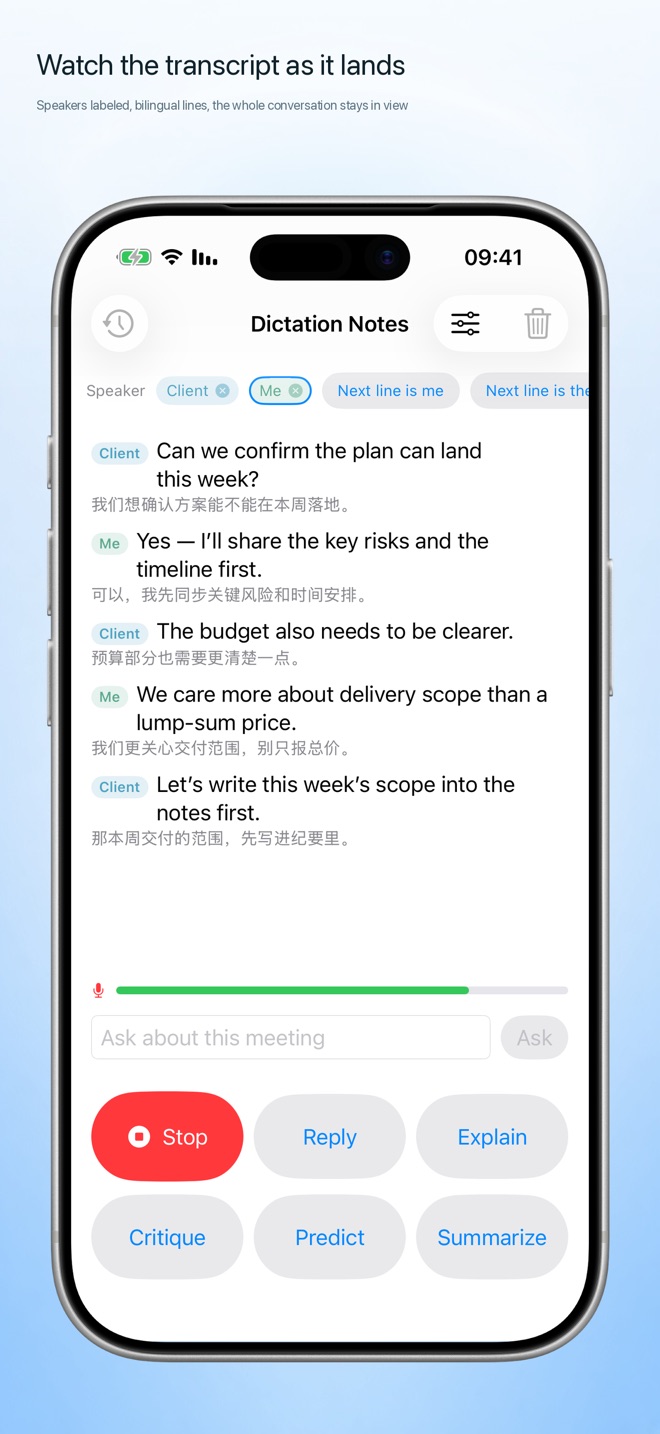
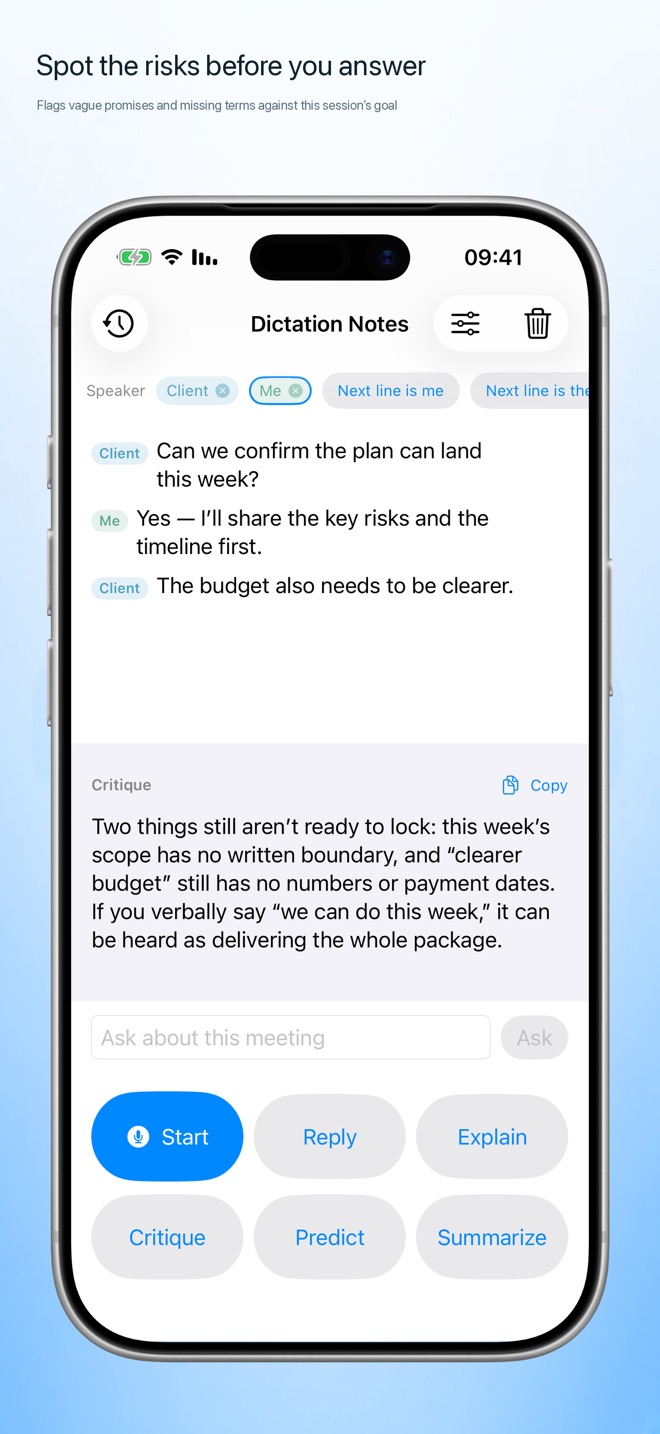
iPhone · Three screens from the store preview
Live text and a line you can sayThe transcript while you stay in the roomAsk for a reply, a summary, or a critique
Common questions
Do I need an API key to start?
No. After you allow the microphone and speech recognition, on-device dictation works. Keys are only needed for cloud transcription and AI replies.
Is this a subscription?
iOS 1.1.0+: Basic features are free. Claim one optional 7-day Pro trial with no automatic charge when it ends. This is a one-time purchase, not an auto-renewing subscription. Mac retains 20 shared trial uses for cloud transcription, AI and translation, followed by a one-time unlock. The iOS timed trial does not apply to Mac. iOS 1.1.0 is being prepared for release; availability is determined by the App Store. Released iOS 1.0.1 retains its original 20-use policy.
Where do audio and text go?
Free dictation needs no API key. Apple speech recognition may process audio on the device or send it to Apple when local recognition is unavailable. Cloud transcription and AI send data directly to the provider you select and authorize. We do not run a backend receiving your recordings or transcripts.
Which systems and languages?
Mac 1.2.0 requires macOS 14+. iPhone 1.0.1 requires iOS 17+. Both offer 13 interface languages.
Do Mac and iPhone automatically sync history?
No. Session history, recordings and API settings remain on each device. Restoring the same App Store unlock on Mac and iPhone does not synchronize those files. Export or share the files you need yourself.
Is free dictation always offline?
No. Apple Speech prefers on-device recognition on Mac, but may send audio to Apple if an offline model is unavailable or fails. iPhone may also use Apple speech services. Offline availability depends on the language, model and system.
Record, transcribe, or summarize only where it is legal and you have any required consent. Suggested replies can be wrong and are not professional advice.
 Dictation Notes